
A kayak fish finder lets paddle anglers do something that used to need a motor boat: see the bottom, find structure and mark productive spots. But a kayak is a tight, wet, low-power platform, and the gear that works on a bass boat does not always translate. Screen size, weight, battery capacity, transducer mounting and waterproofing all matter more when every inch and every pound counts. This guide walks through how to choose a kayak fish finder, how to power and mount it, and how to set it up so it helps you fish instead of getting in the way.
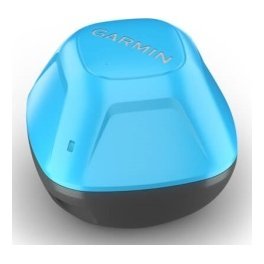
Why a fish finder makes sense on a kayak
Kayak anglers fish quietly and reach water that bigger boats cannot. That is a real advantage, but it also means you cover less ground and have less time to find fish. A fish finder shortens the search. Instead of paddling aimlessly, you can see depth changes, weed edges and structure as you go.
Learning the water faster
A kayak travels slowly, which gives sonar plenty of time to build a clear picture. Over a few trips you can learn a lake or a stretch of coast far more thoroughly than you could by eye.
Safer and more efficient trips
Knowing the depth and your position helps you avoid hazards and return to the launch with confidence. If your unit includes GPS, you can also mark the launch so you can find it again in poor visibility.
Staying on fish
Wind and current push a kayak constantly. With GPS and a track on screen you can see how far you have drifted and paddle back to the spot that was producing.
What to look for in a kayak fish finder
Not every fish finder suits a kayak. A few priorities should guide your choice.
Compact size and low weight
A small screen is easier to mount, easier to protect and less likely to snag lines. Many kayak anglers find a screen in the smaller size range is plenty because they sit close to it.
Low power draw
Your power supply is a small battery, so efficient units extend your day on the water. Check how the manufacturer describes power use and plan your battery around it.
Waterproof construction
Spray, splashes and the occasional capsize are part of kayak life. Choose a unit with a sound waterproof rating and sealed connectors, and treat every plug with care.
A screen you can read in sun and chop
You will often be looking at the screen at an angle, in glare. Brightness and contrast matter more than raw screen size.
GPS if you want to save spots
Built-in GPS lets you mark waypoints from your seat. Our guide to a fish finder with GPS explains what it adds.
Powering a kayak fish finder
A kayak has no engine to charge a battery, so power planning is critical.
Battery choices
Most kayak anglers use a small sealed battery, either lead-acid or lithium. Lithium is lighter, which suits a kayak well, but costs more. Choose a capacity that comfortably covers a full day of use.
Wiring and fusing
Keep wire runs short and use an inline fuse close to the battery. Our guide to boat wiring basics covers connectors and fusing in detail.
Where to put the battery
Mount the battery low and central to protect the kayak’s stability, and keep it in a dry box or sealed compartment. A battery sliding around in a hull is both a safety and a performance problem.
Transducer options for a kayak
The transducer is the part that gets the most awkward on a kayak. There are three popular approaches.
Scupper-hole or arm mounts
A transducer arm that clamps to the kayak lets you lower the transducer into the water and lift it when launching. It is flexible, removable and needs no drilling.
Transom-style mounts
Some kayaks and canoes with flat sterns accept a transom-style transducer. It works well where the hull allows it.
Shoot-through-hull
With certain hull materials, you can glue the transducer inside the hull so it shoots through the plastic or composite. This keeps the transducer protected and out of the water, but performance depends on the hull, so check the manufacturer’s guidance.
Keep the face in clean water
Whatever you choose, the face must sit below the waterline and stay free of bubbles, as explained in our fish finder transducer guide.
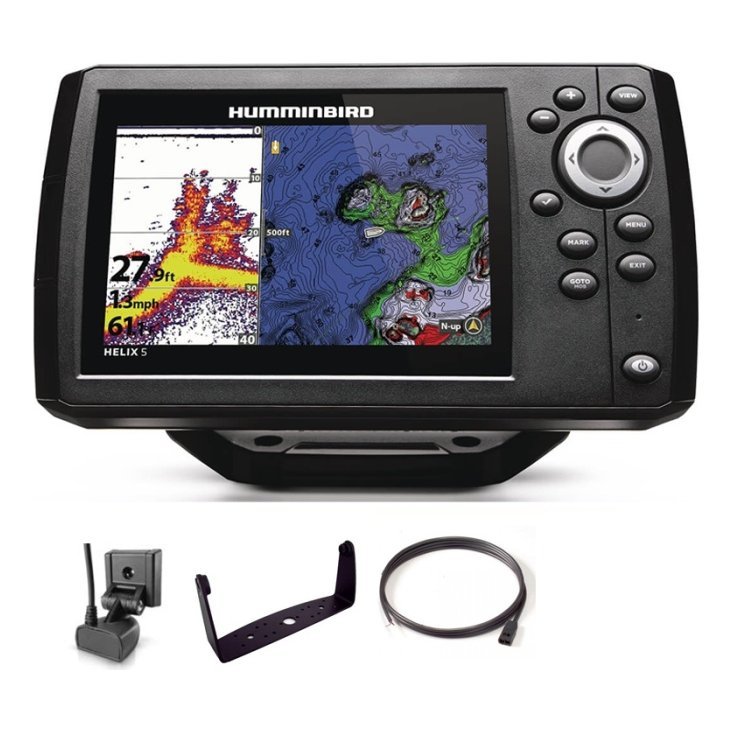
Mounting the display
Where you put the screen affects both your comfort and your catch.
Position within easy reach
Place the display where you can see it without leaning, and where you can reach the buttons without dropping your paddle. A flexible mount that swings out of the way helps in tight spots.
Protect against knocks
Use a padded location or add a shield if your kayak is prone to being bumped on rocks and docks. A scratched screen is still readable, but a cracked one is not.
Tidy the cables
Secure cables along the hull with clips so they do not snag fishing line. Leave a service loop so you can unplug the display for transport.
Portable versus permanent installation
A permanent install gives you a clean, tidy rig but ties the setup to one kayak. A portable install can move between kayaks and even a small boat.
Portable advantages
You can pack the unit into a bag, charge the battery at home and mount it in minutes. It also reduces theft risk. See our portable fish finder guide for options.
Permanent advantages
A permanent setup is faster to launch and typically more reliable because everything is fixed and wired properly.
Using your kayak fish finder on the water
Once you are set up, use the unit the way a paddle angler can.
Paddle at a steady pace
Sonar needs a steady passage to draw a clean picture. Slow, even paddle strokes give the best results.
Look for edges
Weed lines, drop-offs and points are classic fish-holding features. Mark them as you cross them.
Check the screen occasionally, not constantly
Remember you are there to fish. Glance at the display, make a mental note and keep your eyes on the water.
Combine with a camera
Many kayak anglers also film their trips. Our guide to GoPro kayak fishing setups shows how to mount a camera alongside your sonar.
Common kayak fish finder mistakes
- Buying a screen too large for the deck space available.
- Underestimating battery needs for a full day.
- Mounting the transducer where paddle splash creates bubbles.
- Leaving cables loose where they can catch fishing line.
- Forgetting to rinse and dry the equipment after a trip.

A sample kayak sonar setup, step by step
It helps to see how the pieces fit together. This is a typical approach for a sit-on-top kayak, though your hull and your habits may change the details.
Step one: plan the layout
Sit in the kayak on dry land and decide where the screen, the battery and the cables will go. The screen should be within a short glance and an easy reach, and the battery should sit low and centred. Mark the positions with tape before you attach anything, because changing your mind later is much harder once holes are drilled.
Step two: fit the battery and fuse
Secure the battery in a dry box, add an inline fuse near the positive terminal and keep the wires neat. A tidy power feed is the foundation of a trouble-free system, and it protects both the electronics and you if a wire gets damaged.
Step three: mount the transducer
Attach the transducer arm or bracket so the face sits just under the water when the kayak is loaded. Paddle a few metres in shallow water and check that the depth reading is stable. If it flickers, adjust the angle slightly until the signal settles.
Step four: test and tidy
Run a short test paddle, then fix any loose cables with clips or ties. Take photos of the finished rig so you can recreate it quickly next time, and note your preferred screen settings so they are ready on the water.
Staying safe with electronics on a kayak
Gadgets are no substitute for good seamanship. Wear a personal flotation device, carry a whistle and tell someone where you are going. Keep wiring above the waterline, and do not let cables restrict your ability to exit the kayak if you capsize. If your unit has GPS, mark the launch point so you can navigate home even if visibility drops. Our guide to solo fishing safety has more practical advice.
Frequently asked questions
What size screen is best for a kayak?
A compact screen is usually best, because it is easier to mount and power. Choose the largest size that fits comfortably and stays readable.
Do I need GPS on a kayak fish finder?
It is not essential, but it helps you save spots and navigate back to the launch.
How long will a kayak battery last?
It depends on battery capacity and the unit’s power draw, so check both before your trip.
Can I use a fish finder in a sit-on-top kayak?
Yes, and sit-on-top kayaks often offer the easiest mounting options.
Getting started
A kayak fish finder makes paddle fishing more productive and more enjoyable once it is compact, powered and mounted properly. Choose a unit that matches your craft, plan the battery and transducer carefully and keep the setup tidy. Browse compact fish finders in our shop, or contact us with details of your kayak and we will help you narrow the choices.
Related reading from Fishtrail Outfitters
- Fish Finder for a Jon Boat: A Simple, Affordable and Portable Setup
- Bass Boat Electronics Setup: Console, Bow Unit and Transducer Layout
- Ice Fishing Fish Finder Guide: Choose, Set Up and Read Sonar Through Ice
- Fish Finder Transducer Guide: Types, Mounting and Getting a Clear Signal
Products mentioned in this guide
- Lowrance Eagle 5 CHIRP Splitshot Gps Fishfinder + 455/800 KHz Transducer
- Deeper Start Portable Fishfinder
- Lowrance Eagle 5 CHIRP HDI Gps Fishfinder + 83/200/455/800 KHz Transducer
Further reading: GoPro official website · Take Me Fishing: how to get started and where to fish
Questions before you buy? Contact Fishtrail Outfitters or browse the shop.

