A bass boat is built for fishing, and a well-planned bass boat electronics setup turns it into a precise tool for finding and catching fish. Most bass boats carry at least two displays, one at the console and one at the bow, with transducers at the transom and on the trolling motor, plus batteries, a charging system and sometimes a network that shares data between screens. Poor planning leads to messy wiring, interference and screens that cannot be read in the sun. This guide explains how to plan the layout, choose displays and transducers, route power and data cables, set up networking, protect equipment, handle vibration and spray, test the system and keep it reliable through a long season of tournaments or weekend trips.
Plan the bass boat electronics setup layout first
Before buying or drilling, sketch your boat and mark where you stand, sit and cast. Decide which functions you need at the console and which at the bow. The console display is used while running, so it should show navigation and sonar. The bow display is for fishing, so it should show sonar, maps and perhaps live views. Consider a third display at the stern only if you need it. See our fish finder vs GPS guide for balancing features.
Think about sightlines
You should be able to see each screen from where you use it, without glare or blocking. Mount displays at comfortable heights and angles.
Leave room for expansion
If you plan to add a unit later, leave space on the console or bow panel.
Choose displays and features
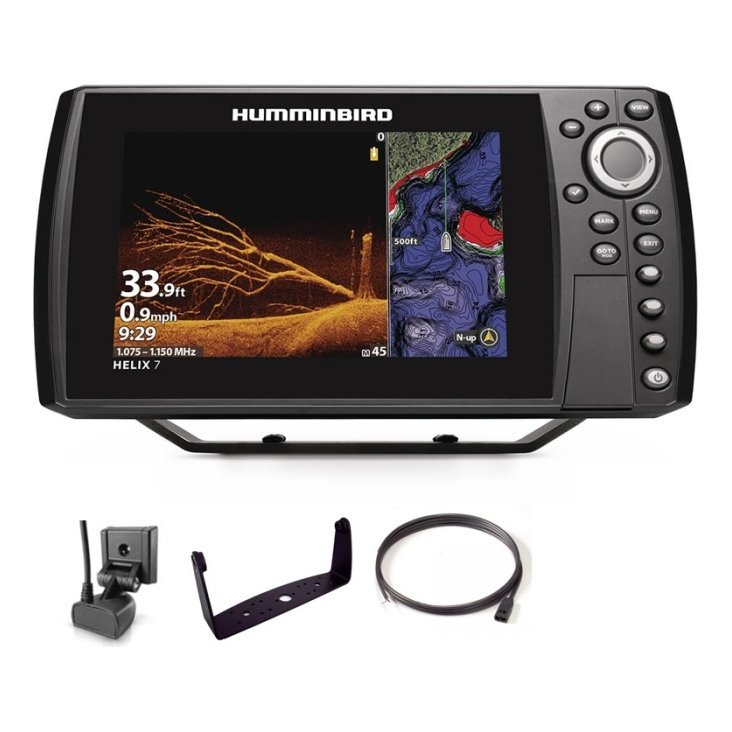
Choose bright, readable displays that handle sun, spray and vibration. Look for good mapping, strong sonar options and reliable controls. Many bass anglers value side imaging, down imaging and high-resolution maps. Consider whether you want touch or buttons, since wet hands and gloves affect use. Review our fish finder basics guide and fish finder settings guide.
Match the console and bow units
Using the same brand and family simplifies networking and menus.
Mind the screen size
Larger screens show more detail but take space and cost more. Choose sizes that fit your panels.
Plan the transducer layout
Most bass boats use a transom-mounted transducer for running and a trolling motor transducer for fishing. The transom unit must sit in clean water, clear of turbulence from the hull and motor. The trolling motor unit lets you see what is beneath the bow while you fish. If you use side or down imaging, check that mounts are rigid and aimed properly. See our fish finder transducers guide and fish finder mounting guide.
Test at speed
Run the boat at different speeds and check the bottom return. Adjust height and angle until readings stay clean.
Protect from impact
Position transducers so that they are less likely to hit debris, and use kick-up brackets where appropriate.
Power and wiring
Plan the power system around your batteries, charger and fuse panel. Run dedicated circuits for electronics, with properly sized wire, fuses or breakers, and clean grounds. Keep power and transducer cables apart to avoid noise, and keep them away from the motor and trolling motor wiring. Use sealed connectors and clips, and label every wire. Our boat wiring basics guide explains fundamentals, and our fish finder troubleshooting guide helps diagnose interference.
Use a dedicated electronics battery
Where practical, power electronics from a separate battery or circuit to avoid voltage drops when the trolling motor draws heavy current.
Check voltage under load
Test the system with the trolling motor running to make sure electronics do not reset.

Networking and data sharing
Many systems allow displays to share sonar, charts and waypoints through a network. This lets you see the same information at the bow and console, and move waypoints between units. Follow the manufacturer’s instructions for cables, switches and settings, and test after any firmware update. Back up waypoints regularly. See our marine GPS waypoints guide.
Keep software consistent
Update all units together so that they work smoothly.
Protect your electronics
Bass boats run fast and bounce, so vibration, spray and heat are constant. Use secure mounts, cable clips and strain relief, and keep connectors sealed. Cover screens when parked, as explained in our summer boating electronics guide, and rinse after saltwater use if applicable. Check fasteners regularly.
Prepare for tournaments
Carry spare fuses, a transducer bracket, spare cables and a basic tool kit. Check everything before the event, using our spring electronics checklist.
Add cameras and extras
A bow or rod camera can record catches and technique, helping you review what works. Use secure mounts and tethers, and see our GoPro boat mount guide, slow-motion fishing video guide and photograph your catch guide. Always handle fish gently, especially in tournaments.
Safety on a fast boat
Wear a life jacket, use the kill switch lanyard, and make sure navigation lights work, as covered in our boat navigation lights guide. Keep cables and equipment out of walkways, and avoid running at speed in poor visibility. See our solo fishing safety guide.

Common mistakes
- Mounting a transducer in turbulent water.
- Running power and transducer cables together.
- Skipping fuses and labels.
- Forgetting to test at speed.
- Ignoring software updates and waypoint backups.
A step-by-step install order
Install in a logical order to avoid rework. First, plan and mock up the layout with cardboard templates and tape. Second, run power and ground cables from the battery to a fuse panel, label them and test with a multimeter. Third, mount the transducers, check clearances and run cables back to the console and bow, keeping them away from power lines. Fourth, mount the displays and connect power and data. Fifth, power up, update software and set up networking. Sixth, test on the water at different speeds, adjust and record your final settings. Seventh, tidy the cables, add clips and seal any holes. A staged process makes each step simple and gives you a chance to catch mistakes early.
Use quality fasteners and sealant
Stainless fasteners and marine sealant prevent corrosion and leaks where you drill through panels and decks.
Keep a wiring diagram
Draw or photograph your final wiring and store it with your notes. It makes troubleshooting and upgrades far quicker.
Frequently asked questions
How many displays do I need?
Many bass boats use two, one at the console and one at the bow.
Do I need networking?
It is helpful for sharing data, but not essential.
Where should the transom transducer go?
In clean water, aimed straight down, away from turbulence.
How do I avoid noise on the screen?
Separate cables, check grounds and use clean power.
Build a system that works as one
A good bass boat electronics setup is planned, wired cleanly and tested thoroughly. Think about layout, power, transducers and protection, and keep spares for when something goes wrong. Browse electronics and accessories in our shop and contact us if you would like help planning your boat.
Related reading from Fishtrail Outfitters
- Fish Finder Transducer Guide: Types, Mounting and Getting a Clear Signal
- Kayak Fish Finder Guide: How to Choose and Mount One on a Kayak
- Fish Finder for Pontoon Boats: Mounting, Power and Transducer Tips
- Fish Finder for a Jon Boat: A Simple, Affordable and Portable Setup
- Fish Finder Freshwater vs Saltwater: What Changes and What to Check
Products mentioned in this guide
- Lowrance Eagle 5 CHIRP Splitshot Gps Fishfinder + 455/800 KHz Transducer
- Lowrance Eagle 5 CHIRP HDI Gps Fishfinder + 83/200/455/800 KHz Transducer
- Lowrance Eagle 5 CHIRP HDI Gps Fishfinder + 50/200/455/800 KHz Transducer
Further reading: GoPro official website · Take Me Fishing: how to get started and where to fish
Questions before you buy? Contact Fishtrail Outfitters or browse the shop.