SKUs and part numbers look like boring strings of letters and digits, but they are the most reliable way to make sure you buy exactly the marine electronics you intend to. Two fish finders may share a name but differ in screen size, transducer or region, and a transducer that looks identical may fit only certain models. Understanding product codes saves money, prevents returns and helps you ask better questions. This guide explains what SKUs and part numbers are, how they differ, where to find them on boxes and product pages, how to match them to compatible accessories, how to avoid common confusion between similar products, and how to use them when you contact support or search for manuals and updates.
What SKUs and part numbers mean
A SKU, or stock keeping unit, is a code that a seller uses to track a product in its own system. A part number, often called a model or manufacturer part number, is assigned by the maker and identifies a specific item. A SKU may be the same as the part number or different, depending on the store. Both help to identify exactly what you are buying, and both should be checked when you order.
SKU: the seller’s code
SKUs organise inventory. They may include letters for category, size or variant. On a shop page, the SKU lets the seller know precisely which item you chose.
Part number: the maker’s code
Part numbers link to manuals, firmware and support. They tell you the exact configuration, such as with or without a transducer.
Model name versus part number
A model name is a marketing label. A part number is more specific. Two products may share a model name but have different part numbers for different bundles.
Where to find SKUs and part numbers
On a shop page, look for a SKU field, usually near the title or description. On the box, check labels and barcodes. On the product itself, look for a sticker or a printed label near ports or on the back. Manuals and quick-start guides often list part numbers on the cover. Take a photo of the label when you unpack, so you have it for support. Our shop lists product details on each page.
Check the listing details
Read the description for part numbers, model names and what is included. If anything is unclear, ask through the contact page before ordering.
Why they matter for compatibility
Accessories often work only with specific models. A transducer, mount, cable or cover may fit one family of units but not another. Connector types and wiring can differ between versions, even when units look similar. A part number tells you what connects to what. Before buying an accessory, check the compatibility list or ask for confirmation. See our fish finder transducers guide and fish finder mounting guide.
Match transducers carefully
Transducers have different connectors and frequencies. A mismatch can mean it will not plug in or will not work properly. Check the part number against the unit.
Match power and cables
Power leads, data cables and adapters also have specific part numbers. See our boat wiring basics guide.

SKUs and part numbers for packages and bundles
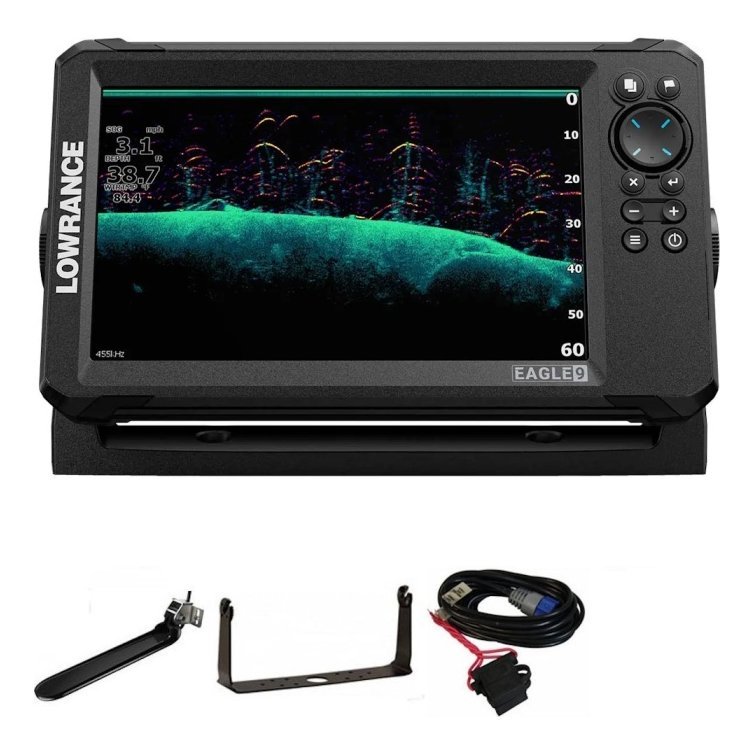
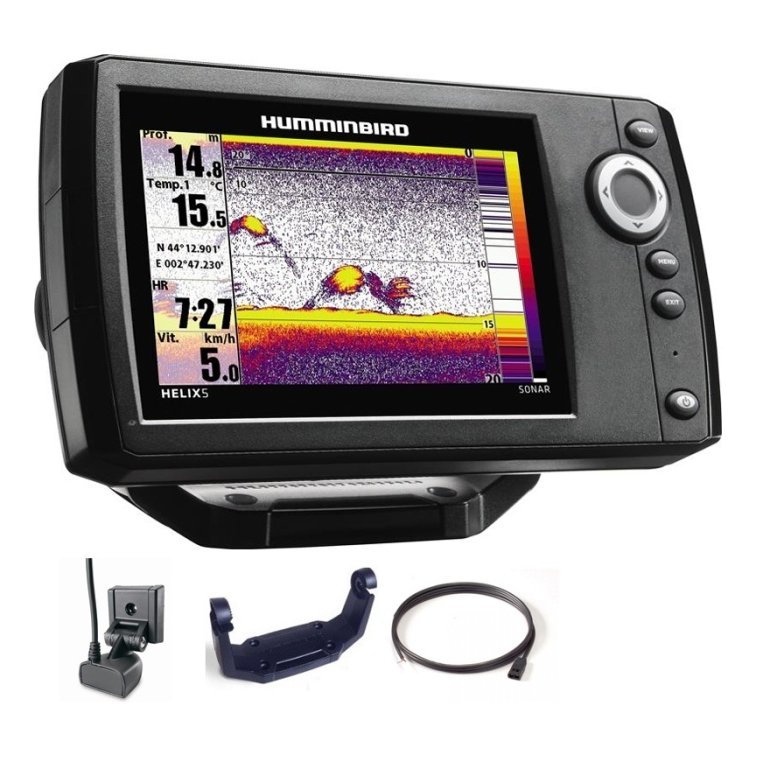
Bundles may include several items under one product name. The listing should state what is included, and the part number may reflect the bundle. Our what is in the box guide explains how to read a package listing. Compare bundle part numbers with those of the unit alone, to make sure the extras are what you expect.
Watch for regional variants
Some models differ by region, with different charts, frequencies or power adapters. Check that the part number matches your needs and location.
Avoid common confusion
Similar names and numbers cause errors. A letter at the end of a model number may mean a different transducer or screen. A small difference in digits may mean a different generation. Read carefully, and compare the full code rather than the first few characters.
- Compare the whole part number.
- Check the screen size and included accessories.
- Look for suffixes that indicate variants.
- Confirm the chart region.
- Ask if you are unsure.
Use codes when you need support
When you contact support, give the part number, the SKU or order reference, and a short description of the problem. Include a photo of the label if possible. This lets support identify the exact product and find manuals, firmware and troubleshooting steps quickly. See our fish finder troubleshooting guide.
Find manuals and updates
Search for the part number with the word manual to find the right documents. Check firmware and chart updates against your exact model.
Keep your own records
Record part numbers and purchase dates in a notebook or your fishing journal, along with where each device is installed. This makes upgrades and repairs easier. Photograph labels and keep copies of invoices. A tidy record also helps if you sell the boat or unit later.
Record accessories too
Write down mounts, cables, covers and cameras, so you can replace or reorder them accurately.

Common mistakes
- Relying on the product name alone.
- Ignoring suffix letters.
- Assuming accessories fit all models.
- Forgetting to check what is included.
- Losing track of part numbers after installation.
A quick pre-purchase checklist
Before you click buy, write down the part number of the unit you own or plan to buy, and the part number of every accessory in your basket. Open the manual or compatibility information for the main unit, and check that each accessory is listed. Look at the connector type in photos and compare it to the port on your device. Confirm the screen size, frequency and regional variant. If a listing shows a bundle, list each included item and compare it with what you need. Finally, ask yourself whether you will need anything else, such as fuses, brackets or adapters. Ten minutes of checking can save weeks of waiting for a replacement.
Be careful with used and second-hand gear
When buying used equipment, ask for photos of the labels and confirm part numbers. Older versions may not support newer charts or accessories, and some parts may no longer be available.
Share codes, not guesses
When asking for advice in a forum or from a store, give exact codes instead of descriptions such as “the blue one”. Clear information leads to clear answers.
Frequently asked questions
Are SKUs and part numbers the same?
Not always. A SKU is the seller’s code, and a part number is usually the maker’s code.
Where do I find a part number?
On the product page, box, label or manual.
Can two products share a model name?
Yes, with different part numbers and contents.
What should I send to support?
The part number, order information, a description and photos.
Buy with confidence
Understanding SKUs and part numbers turns shopping from guesswork into a simple check. Read the codes, match accessories, keep records and ask when in doubt. Browse marine electronics in our shop and contact us if you would like help confirming a part before you buy.
Related reading from Fishtrail Outfitters
- Buy Marine Electronics Online: A Smart Buyer’s Checklist
- Kayak Fish Finder Guide: How to Choose and Mount One on a Kayak
- Marine Compass Backup Navigation: What to Carry When Electronics Fail
- Spring Fishing Electronics Checklist: Get Your Gear Ready After Winter
Products mentioned in this guide
- Lowrance Eagle 5 CHIRP Splitshot Gps Fishfinder + 455/800 KHz Transducer
- Lowrance Eagle 5 CHIRP HDI Gps Fishfinder + 83/200/455/800 KHz Transducer
- Lowrance Eagle 5 CHIRP HDI Gps Fishfinder + 50/200/455/800 KHz Transducer
Further reading: Take Me Fishing: how to get started and where to fish
Questions before you buy? Contact Fishtrail Outfitters or browse the shop.