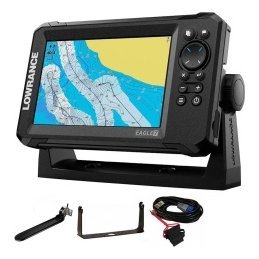
Offshore fishing electronics are what separate a confident trip from a risky one, because help is farther away, conditions change faster and mistakes cost more. The right equipment does two jobs at once: they help you find fish across large areas of open water, and they help you navigate, communicate and return safely. This guide explains what an offshore setup typically includes, how to choose a chartplotter, sonar and transducer for bigger water, why communication and backup devices matter, how to power and install everything reliably, and how to plan trips so that your electronics support good decisions. It is general guidance, and you should always follow local regulations and professional advice for your boat and area.

Why offshore fishing electronics differ from inland gear
Open water has its own demands.
Distance and exposure
You may be many miles from shore, with little shelter from wind and waves. Equipment must be reliable and your plan must allow for problems.
Depth and range
Offshore sonar must reach deeper water, and charts must cover large areas with detail for navigation and fishing.
Changing weather
Conditions can shift quickly. Weather awareness and the ability to return promptly are essential. See our boat navigation safety basics.
The core of an offshore setup
A capable chartplotter
A chartplotter with detailed charts and a clear, bright screen is the foundation. Choose a size that suits your helm. Our chartplotter buying guide covers the options.
Sonar and transducer
Look for sonar that suits deep water, with a transducer designed for your hull and speed. Offshore boats often use thru-hull or transom transducers. See our transducer guide.
A fish finder and chartplotter combo
A combo unit can combine charts and sonar on one screen. Our combo guide explains when it is the right choice.
Networking
Larger boats often network multiple displays and devices. Check compatibility, as discussed in our Furuno and Simrad guide.
Sonar for deep water
Low-frequency CHIRP
Low frequencies reach deeper and show structure and schools at depth. Our CHIRP fish finder guide explains why.
Seeing bait and structure
Offshore, you look for bait, temperature breaks, ledges, reefs and wrecks. Sonar shows these, and GPS lets you mark them.
Settings for bigger water
Use a wider range and adjust sensitivity for depth. See our fish finder settings guide.
Navigation and GPS
Charts and updates
Keep charts current and know how to read them. Our guide to reading nautical charts is a good start.
Waypoints and routes
Mark the launch, the inlet, reefs, hazards and productive spots, and plan routes with waypoints. See our marine GPS waypoints guide.
Alarms
Use shallow-water, off-course and anchor alarms. See our GPS anchor alarm guide.
Backup navigation
Carry a handheld GPS and a magnetic compass. Our marine compass and backup navigation guide explains how.

Communication and safety equipment
VHF radio
A VHF radio is a primary tool for contacting other vessels and rescue services. Learn how to use it. See our VHF radio basics guide.
Other devices
Many boaters add emergency beacons, flares and a charged phone in a waterproof case. Follow local rules and check what is required for your area and distance from shore.
Lights and visibility
Make sure lights are correct and working. See our navigation lights guide.
Safety gear
Carry life jackets, a first aid kit, a fire extinguisher, an anchor and signalling gear.
Power and installation
Reliable power
Use a robust battery system with proper fusing and, ideally, separate batteries for electronics. See our boat wiring basics.
Clean installation
Route cables carefully, use marine-grade connectors and protect against moisture. Our marine electronics setup guide explains how to plan.
Mounting displays
Choose positions that you can see and reach in rough conditions. Our mount guide helps.
Professional help
For complex networks or hull work, professional installation may be wise.
Plan trips with your electronics
Check weather and tides
Study the forecast, tide and current information before you go. See our tides and currents guide.
File a float plan
Tell someone where you are going and when you will return.
Mark your route
Plan a route and note alternative harbours.
Know your limits
Return early if conditions deteriorate or equipment fails.
Maintenance for saltwater use
- Rinse electronics with fresh water after every trip.
- Check connectors for corrosion.
- Update software and charts.
- Test radios and alarms before each season.
See our marine electronics maintenance guide.
Finding fish offshore with sonar and GPS
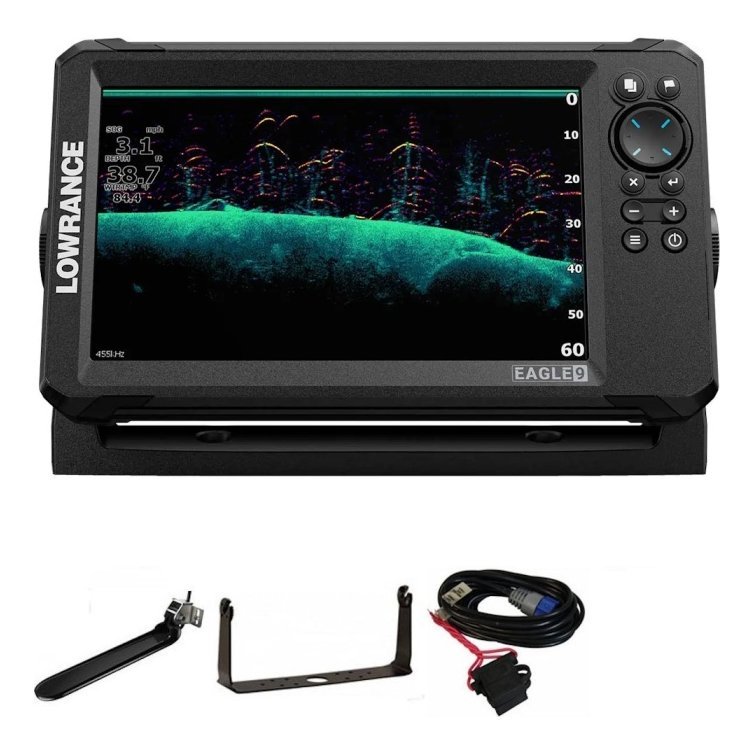
Offshore fish rarely sit under every patch of water. They gather around structure such as ledges, reefs, wrecks and humps, around temperature and current breaks and under floating debris or bait concentrations. Use your chart to select areas of change in depth, then run your sonar over them to see what lives there. Watch for baitfish and marks at different depths, and mark any promising features with waypoints. When you find a productive spot, record its depth, the direction of current and the species you caught, and return to it with a plan. Our fish finder with GPS guide explains how the two tools work together.
Use tracks to cover water
A track on the chart shows which water you have already searched. Run lines in a pattern, such as parallel passes, to cover an area without repeating yourself. This approach saves fuel and time on trips where distance is a significant cost.
Be mindful of fuel and time
Offshore trips use fuel and daylight quickly. Plan your route, note the distance to your first spot and to home, and set a time to turn back regardless of how the fishing is going. Good electronics support decisions, but you are the one who makes them.
Upgrading an existing boat
If you already have an older chartplotter or fish finder, you do not have to replace everything at once. Prioritise safety and reliability first, such as a VHF radio, a backup GPS and clean power. Next, upgrade sonar or the transducer if your picture is poor. Finally, replace or add displays when you need more screen space or networking. Check compatibility with existing equipment at each step, and keep notes of your configuration so that future changes are smooth. A phased upgrade spreads cost and lets you learn each new device before adding the next.
Common offshore electronics mistakes
Several errors recur. Relying on a single device without backups leaves you stranded if it fails. Using outdated charts invites surprises near inlets and shoals. Mounting a transducer in turbulent water gives a poor picture at speed. Underestimating power needs leads to flat batteries far from home. Neglecting to test radios and alarms means finding faults at the worst moment. Skipping a float plan removes the safety net that others provide. Avoid these mistakes and your electronics will support your trips instead of complicating them.
Frequently asked questions
What electronics do I need offshore?
At minimum, a chartplotter, sonar, a VHF radio, backup navigation and safety gear suitable for your boat and area.
Do I need radar?
Radar can help in poor visibility, but it is not necessary for every boat. Consider your use.
Should I use thru-hull transducers?
They suit many offshore boats, but installation needs care.
Can I rely on one screen?
It is wise to have backups, such as a handheld GPS and a compass.
Prepare, then go
Good offshore fishing electronics combine sonar and GPS for finding fish with communication and backups for staying safe. Plan your system carefully, install it properly and maintain it well. Browse GPS and fish finders in our shop and contact us if you would like help choosing equipment for bigger water.
Related reading from Fishtrail Outfitters
- Fish Finder Chartplotter Combo: Is an All-in-One Unit Right for You?
- Night Fishing Electronics: Use Sonar, GPS and Lights Safely
- GPS Anchor Alarm and Boat Safety Alarms: How They Work and How to Set Them
- Fall Fishing with Electronics: Following Bait and Changing Patterns
- VHF Radio Basics for Anglers: Channels, Calls and Safety
Products mentioned in this guide
- Fishfinder Garmin Striker Vivid 4CV + Sonar 77/200/455/800 KHz
- Fishfinder Garmin Striker Vivid 5CV + Sonar 77/200/455/800 KHz
- Fishfinder Garmin Striker Vivid 7CV + Sonar 77/200/455/800 KHz
Further reading: U.S. Coast Guard Navigation Center · U.S. Coast Guard boating safety resources
Questions before you buy? Contact Fishtrail Outfitters or browse the shop.