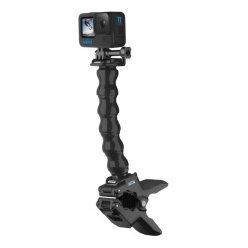
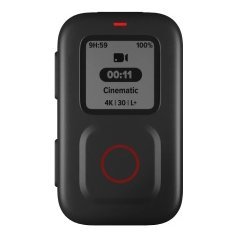
Action cameras are famous for short battery life, especially in cold weather and at high resolution, and power handles for GoPro cameras are one of the simplest ways to fix that. A power handle holds a battery or connects to a power bank, giving you hours of extra recording time without swapping batteries on a wet deck. USB power mounts do a similar job on boats with a power supply. This guide explains how camera power draw works, which types of power accessories are available, how to choose capacity and connectors, how to keep power gear dry and safe, how to plan a long day of filming, and the mistakes that cause lost footage or damaged equipment.
Why battery life runs short
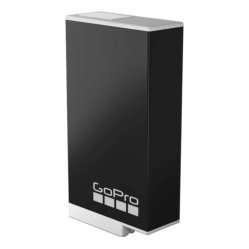
High resolution, high frame rates, stabilisation and wireless features all use power. Cold weather reduces battery capacity, and long waits with the camera on drain batteries before anything exciting happens. Many anglers find a standard battery lasts an hour or two, which is far less than a day on the water. Planning power is therefore part of planning your filming. See our GoPro battery tips and GoPro settings for fishing guide for ways to save power through settings.
Time lapse and standby use less
Modes such as time lapse use less power than continuous video. Our GoPro time lapse guide explains how to capture long scenes economically.
Cold shortens runtime
Keep spare batteries warm in a pocket, and swap them in when needed.
Types of power handles for GoPro and other accessories
There are several ways to extend runtime. Each has advantages and drawbacks, and the best choice depends on your boat, your camera and your habits.
Power handles
A power handle holds an extra battery or connects to a power bank, and doubles as a grip. It is convenient for handheld filming and on a pole, but it adds weight and bulk. See our floating cases and handles guide for options that add buoyancy.
Power banks
A small power bank connected by a cable can run a camera for many hours. It is easy to carry and recharge, but cables must be routed and sealed carefully.
USB mounts and boat power
On a boat with a power supply, a USB mount or cable can keep the camera running all day. Check voltage and current, and follow the advice in our boat wiring basics guide.
Spare batteries
Swapping batteries is the simplest option, but opening a camera on the water risks salt and spray.
Choose capacity and connectors
Power banks and handles list capacity in milliamp-hours, and cameras use a small fraction of that per hour. Choose capacity that covers your longest planned session with a margin, and pay attention to weight. Check that cables and connectors match your camera, and that the power source delivers stable output. Avoid cheap, unmarked chargers that may damage batteries or cause interference.
Check compatibility
Not every case or housing allows a cable to pass through. Check that your set-up lets you connect power without breaking waterproofing. See our waterproof case guide.
Use short, tidy cables
Long cables tangle with lines and rods. Keep them short, secured and out of the way.
Keep power gear dry and safe
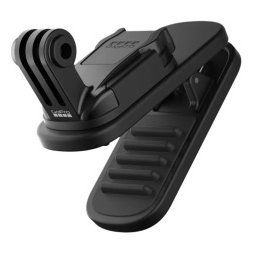
Water and electricity are a poor mix. Use sealed connectors, cover ports with the supplied caps, and keep power banks in a dry bag or sealed pocket. Do not charge or connect power gear with wet hands or in spray. After saltwater use, rinse gear and let it dry fully, as explained in our saltwater protection guide. Never use a damaged battery or cable.
Watch for heat
Power gear can warm up during use. Do not leave it in direct sun or a closed compartment, and stop using anything that becomes very hot or swollen.
Follow local rules for batteries
Check rules if you travel, as airlines and vessels may restrict large batteries.
Plan a long day of filming
Decide what you want to record, estimate the hours, and choose a plan. For example, use time lapse in the morning, switch to continuous recording around likely bites and keep the camera in standby between. Carry a spare battery and a power bank, and use a voice command or remote to start recording only when needed, as described in our voice control guide. Charge everything the night before and test connections at home.
Check battery and storage together
A long session needs both power and space. See our memory card guide.
Mounting with power in mind
Mount the camera where the cable can run cleanly and where the power source is easy to reach. Avoid stretching cables across walkways, and use clips to hold them in place. See our GoPro boat mount guide for stable mount options.
Common mistakes
- Buying a power bank without checking cable fit.
- Letting cables tangle with lines.
- Forgetting to charge gear beforehand.
- Using unsealed connections in spray.
- Ignoring heat and battery condition.
A sample power plan for a full day
Imagine a ten-hour trip. You start with a fully charged camera battery and a power bank in a dry pocket. In the morning you use time lapse for sunrise, which uses little power. During the first fishing session you leave the camera in standby and start recording by remote when a fish appears. At midday you connect the power bank to top up while the boat idles. In the afternoon you swap to a spare battery before the best light and record the main action. By evening you still have reserve power for the ride home. Planning like this means you rarely miss the moments that matter.
Label and rotate batteries
Mark spare batteries with tape or a pen so you know which are full and which are used. Rotate them so that none stay unused for months.
Test the whole system at home
Before a long trip, run the camera on its power source for an hour at home. Watch for connection drops, overheating or settings that reset, and fix problems before you leave.
Frequently asked questions
Do power handles work with every camera?
No. Check compatibility with your model and housing.
How long will a power bank run a camera?
It depends on capacity and settings, but many banks can run a camera for a full day.
Can I charge while recording?
Many cameras can, but check your manual and keep connections dry.
Is a power handle waterproof?
Some are, but check the rating and follow the care instructions.
Keep recording when it counts
Power handles for GoPro cameras and a sensible power plan mean you capture the bite instead of a dead battery. Choose compatible gear, keep it dry, route cables tidily and carry backups. Browse camera accessories in our shop and contact us if you would like help planning a power set-up for your boat.
Related reading from Fishtrail Outfitters
- GoPro Battery Tips: Keep Your Camera Recording All Day on the Water
- GoPro Fishing Accessories: The Essential Kit for Anglers
- GoPro Kayak Fishing Setup: Mounts, Tethers and Camera Angles
- GoPro Boat Mount Guide: Where to Attach Your Camera for Great Fishing Video
Products mentioned in this guide
- GoPro camera mount with USB connection
- GoPro camera mount with extendable clamp
- Adhesive GoPro camera mounts
Further reading: GoPro official website · Take Me Fishing: how to get started and where to fish
Questions before you buy? Contact Fishtrail Outfitters or browse the shop.