Salt is the quiet enemy of every camera used near the sea, and if you want to protect your GoPro from saltwater, you need a routine rather than a hope. Even a waterproof camera can fail if salt dries on seals, ports and buttons, or if sand gets into hinges and latches. The good news is that care is simple: check seals before you go, rinse thoroughly after you return, dry the camera completely and store it with the doors open if the design allows. This guide explains why salt causes damage, how to prepare before a trip, what to do on the boat, how to rinse and dry properly, how to store gear, and how to spot early warning signs that something needs attention.
Why saltwater is hard on cameras
Seawater contains dissolved salts that crystallise as water evaporates. Those crystals are abrasive and can scratch lenses, jam buttons and prevent seals from closing cleanly. Salt also attracts moisture and encourages corrosion on metal contacts, screws and ports. Even if a camera survives one dunking, repeated exposure without cleaning shortens its life. Spray, humidity and fog are enough to cause problems, so you do not need to submerge the camera for salt to become an issue.
Seals are the first line of defence
Rubber seals keep water out, but they only work if they are clean, undamaged and seated properly. A single hair or grain of sand can create a leak path.
Ports and doors need attention
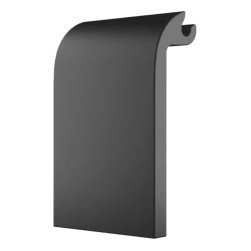
Charging ports, battery doors and latches collect salt and grit, and they are often where water gets in.
Before the trip
Preparation prevents most problems. Inspect the seal around doors and cases, looking for cracks, stretching or debris. Wipe the seal with a clean, damp cloth, close the door firmly and check that latches are fully engaged. Charge the battery and format the memory card at home, so you do not open doors on the water. Our GoPro battery tips and memory card guide explain how to prepare.
Consider a protective case
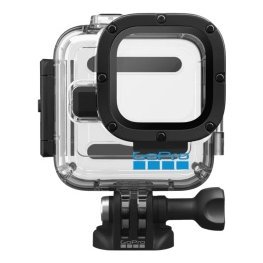
A waterproof case adds a second barrier, and it is worth considering for rough conditions. See our waterproof case guide.
Add a tether or floating handle
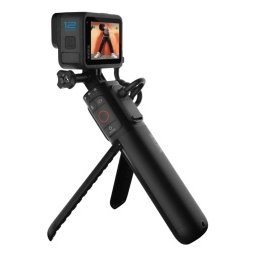
Protecting a camera also means not losing it. See our floating case and handle guide.
Carry a cloth and a small bottle of fresh water
A microfibre cloth and a bottle for rinsing spray help you look after the lens during the day.
On the water
Avoid opening doors or changing batteries and cards when salt spray is flying. Do it inside a cabin, under a console or in a dry bag if you must. Wipe the lens regularly, because salt spots blur footage and encourage scratches when wiped dry. If the camera takes a hard splash, rinse it with fresh water as soon as you can instead of waiting until the end of the day.
Keep the camera out of puddles
Water pooling on a deck carries salt and grit. Avoid setting the camera down where it can sit in a puddle.
Do not wipe a dry, salty lens
Rinse first, then wipe, so salt crystals do not scratch the glass.
How to protect your GoPro from saltwater after the trip
Rinse the camera with fresh, clean water as soon as you can, ideally the same day. Keep doors closed during the first rinse. Let the water run gently over the body, buttons and lens, and move the buttons so water flushes out salt. Soak the camera in a bowl of fresh water for a few minutes if it has been exposed to heavy spray. Avoid hot water, high pressure and harsh soaps unless the manufacturer says they are safe.
Dry carefully
Shake off water, pat the camera with a clean cloth and let it air dry fully before opening doors. Opening a door on a wet camera can trap droplets inside. Leave it in a dry, ventilated place for several hours.
Clean seals and ports
Once dry, open the doors and wipe the seals and ports with a clean, slightly damp cloth, then dry them. Check for debris and make sure seals sit evenly.
Store the camera properly
Store the camera in a dry, cool place away from direct sun. If the design allows, leave doors slightly open or remove the battery so air can circulate. Keep silica gel packs in the storage case to absorb moisture. Do not seal a damp camera in a bag, because trapped humidity can cause corrosion.
Store batteries separately if recommended
Follow the manufacturer’s advice on long-term battery storage and charging levels.
Keep accessories clean
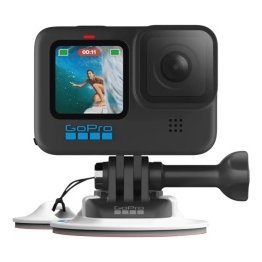
Rinse mounts, clamps and housings, because salt on a mount can corrode metal parts and affect nearby electronics. See our GoPro boat mount guide.
Spot early warning signs
Check regularly for cloudy lenses, sticky buttons, white salt crust, dried residue around seals, and any sign of moisture inside the housing. If you see fogging inside the lens, stop using the camera, dry it and consult the manufacturer. Replace worn seals according to the manual, and do not risk a camera and footage on a seal that looks tired.
A simple routine you can remember
- Check seals and latches before the trip.
- Keep doors closed on the water.
- Rinse with fresh water afterward.
- Dry completely before opening.
- Clean seals and ports.
- Store with air circulation and silica gel.
Protect other electronics too
The same habits help marine electronics, power banks and phones. See our saltwater-safe electronics guide and boat wiring basics guide for ideas on keeping connectors dry and clean.
Common mistakes
- Skipping the rinse because the camera looks clean.
- Opening doors with wet hands.
- Wiping salt crystals off a dry lens.
- Storing the camera damp.
- Ignoring worn seals.
Frequently asked questions
Is a waterproof GoPro safe in saltwater?
It can handle saltwater when sealed properly, but it still needs rinsing and drying afterward.
Can I use soap?
Usually plain fresh water is enough. Check the manufacturer’s advice before using any cleaner.
How often should I check seals?
Before each trip, and after any hard impact or sign of wear.
Do I need a case?
A case adds protection, especially in rough conditions.
Keep your camera ready for the next trip
To protect your GoPro from saltwater, check seals, keep doors closed, rinse with fresh water, dry fully and store the camera with care. A few minutes of attention protects your footage and your investment. Browse camera accessories in our shop and contact us if you have questions about cases and mounts.
Related reading from Fishtrail Outfitters
- Marine Electronics Maintenance: A Simple Routine That Prevents Failures
- Best GoPro for Fishing: What to Look For and How to Set It Up
- Underwater Fishing Camera Guide: How to Film Below the Surface with a GoPro
- Waterproof Cases for GoPro: When You Need One and How to Choose
Products mentioned in this guide
- Waterproof case for GoPro HERO11 Black Mini camera
- Waterproof case for GoPro HERO12 Black HERO11 Black HERO10 Black HERO9 Black camera
- Magnetic swivel GoPro camera clip
Further reading: GoPro official website · Take Me Fishing: how to get started and where to fish
Questions before you buy? Contact Fishtrail Outfitters or browse the shop.