A slow-motion fishing video lets viewers see what the eye misses: the arc of a jumping fish, the explosion of a surface strike, droplets flying from a line as it comes tight. It is one of the most effective ways to make fishing footage feel cinematic, and modern action cameras make it easy. But slow motion is demanding. It needs more light, more storage and a steady camera, and it only works if you capture the right moments. This guide explains how frame rates work, which settings to choose, how to mount and aim the camera, when to use slow motion in the edit, how to handle light and spray, and the mistakes that ruin otherwise great footage.
How slow motion works
Video plays back at a standard rate, typically twenty-four to thirty frames per second for normal speed. If you record at a much higher frame rate, such as sixty, one hundred and twenty or two hundred and forty frames per second, and then play it back at the standard rate, motion appears slowed. The more frames you capture, the slower and smoother the result can be. The trade-off is that high frame rates often require lower resolution, more light and more storage.
Frame rate and smoothness
A higher frame rate gives smoother slow motion, but only if you play it back slowly enough. A clip recorded at one hundred and twenty frames per second and played at thirty appears four times slower.
Resolution trade-offs
Many cameras reduce resolution at the highest frame rates. Check your model’s options in our GoPro settings for fishing guide.
Choose settings for a slow-motion fishing video
Pick a frame rate that matches the speed of the action. A casual strike or a boat wake can look good at sixty frames per second. A jump or a surface explosion benefits from one hundred and twenty or more. Keep stabilisation on if your camera allows it at that setting, and use a fast shutter if you can control it so that droplets look crisp rather than blurred.
Lock exposure where possible
Changing exposure during a clip makes slow motion look uneven. If your camera allows it, lock exposure or choose settings that handle bright water and dark shadows well.
Watch battery and storage
High frame rates fill memory cards quickly and drain batteries faster. Carry spare batteries and cards, and see our memory card guide and GoPro battery tips.
Light matters more than you think
Slow motion shortens the time each frame is exposed, so cameras need more light. Bright morning and late afternoon sun work well, while heavy overcast or dusk can make footage grainy. Position the camera so the sun is behind or beside it, not shining into the lens. Water reflects a lot of light, so avoid harsh glare by adjusting angle or using a lens filter if your camera supports one.
Use the golden hour
Soft low sun makes spray glow and fish scales sparkle. It is the best time for dramatic slow-motion footage.
Keep the lens clean
Droplets on the lens ruin slow-motion shots. Wipe it often and use an anti-fog insert in cool, humid conditions.
Mount and aim the camera
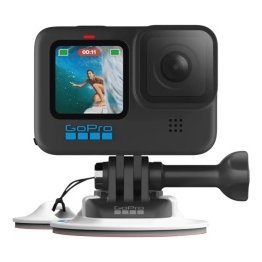
Slow motion exaggerates movement, so a shaky mount looks worse than usual. Use a solid mount near the water line or at the stern where fish are likely to appear. Our GoPro boat mount guide explains secure options, and our GoPro kayak fishing guide covers paddle craft. For first-person footage, see our GoPro chest mount guide.
Frame for the action
Leave space around the subject so a jumping fish stays in frame. A slightly wide view is safer than a tight one.
Anticipate the moment
If you know where fish are feeding, aim there. A second camera on the rod tip can capture strikes.
Moments that look best in slow motion
- A fish leaping from the water.
- A topwater strike with spray.
- Line snapping tight at the hook-set.
- A net sweeping a fish from the water.
- A gentle release as the fish swims away.
Choose moments with clear movement and strong light. Slow motion on a dull moment only makes it duller.
Edit slow motion with care
Use slow motion for short, powerful moments, not whole clips. Mix normal speed with slow motion so viewers feel the contrast, and ease in and out of the slow section if your editor allows it. Pair the visuals with music that supports the mood, but keep natural sound from before and after the slow section. Our guide to editing fishing videos covers pace and structure in more detail.
Do not overuse it
If every shot is slow, none of them feels special. Save slow motion for the best two or three moments per video.
Match speed to emotion
A gentle release suits slow motion. A frantic fight may be stronger at normal speed with a short slow-motion peak.
Protect your gear while shooting
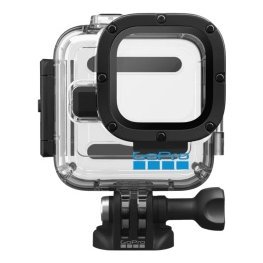
Spray, salt and drops are part of the job. Rinse the camera after saltwater use and check seals before each trip. See our saltwater protection guide and waterproof case guide. Use a tether or floating handle to avoid losing the camera overboard, as explained in our floating case and handle guide.
Common mistakes
- Shooting in poor light and getting grainy footage.
- Forgetting to check storage and battery.
- Letting spray cover the lens.
- Using slow motion on every clip.
- Aiming too tight and missing the jump.
Frequently asked questions
What frame rate should I use?
Sixty frames per second suits general action, and one hundred and twenty or higher suits jumps and strikes.
Does slow motion need more light?
Yes, because each frame is exposed for less time.
Can I make slow motion in editing?
Yes, but footage recorded at a high frame rate looks much smoother.
Is slow motion good for phones?
Many phones support it, though action cameras usually handle spray and rough use better.
Show the moment people missed
A slow-motion fishing video turns a blink of action into a moment viewers remember. Choose your frame rate, find good light, mount the camera securely and save slow motion for the best moments. Browse camera mounts and accessories in our shop and contact us if you would like help choosing gear.
Related reading from Fishtrail Outfitters
- Underwater Fishing Camera Guide: How to Film Below the Surface with a GoPro
- GoPro Settings for Fishing: Resolution, Frame Rate and Stabilisation Explained
- Best GoPro for Fishing: What to Look For and How to Set It Up
- GoPro Boat Mount Guide: Where to Attach Your Camera for Great Fishing Video
Products mentioned in this guide
- Magnetic swivel GoPro camera clip
- GoPro camera mount with extendable clamp
- GoPro camera headband for front mounting
Further reading: GoPro official website · Take Me Fishing: how to get started and where to fish
Questions before you buy? Contact Fishtrail Outfitters or browse the shop.